Cline Integration
Run Cline, the autonomous VS Code coding agent, on Kimi K3 or 200+ models through LLM Gateway. One OpenAI-compatible endpoint, full cost tracking.
Cline is an autonomous AI coding assistant that lives in VS Code. It creates and edits files, runs terminal commands, and works through multi-step tasks on its own. Unlike Cursor, Cline routes everything through the endpoint you give it — so with LLM Gateway you get a full coding agent on any model in our catalog, with every request tracked and billed in one place.
Using DevPass? This integration also works with a DevPass plan key. Use canonical model IDs without a provider prefix (
claude-sonnet-4-5, notanthropic/claude-sonnet-4-5) — provider-pinned routing is not available on coding plans; the gateway picks the provider for you.
Quick Start
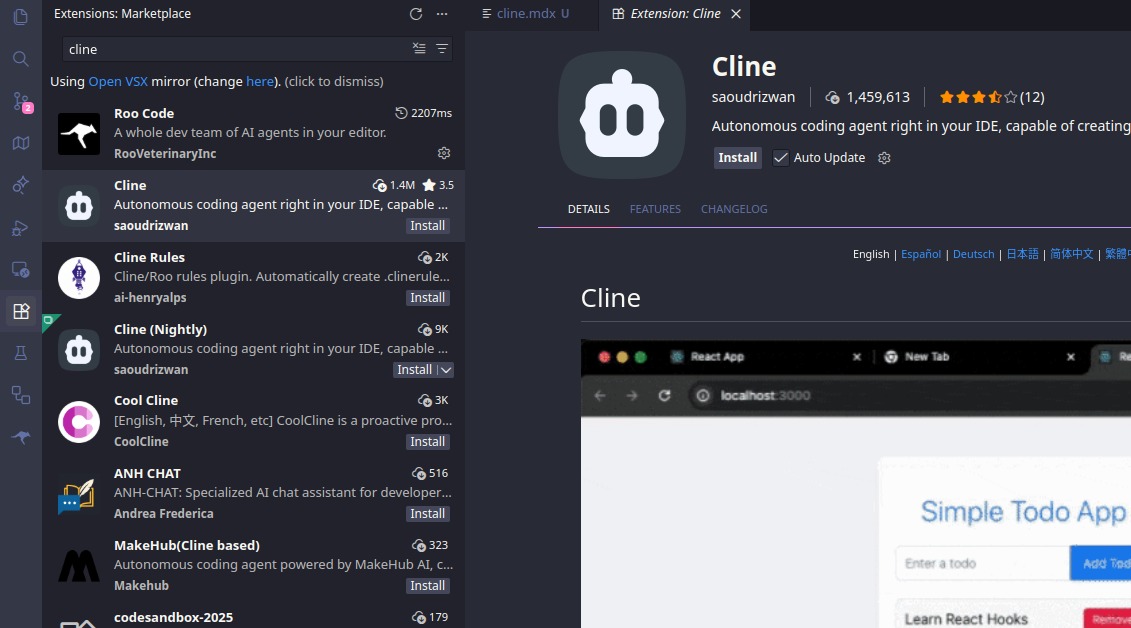
1. Install the Cline extension
Search for "Cline" in the VS Code Extensions view (Cmd/Ctrl + Shift + X) and install it.
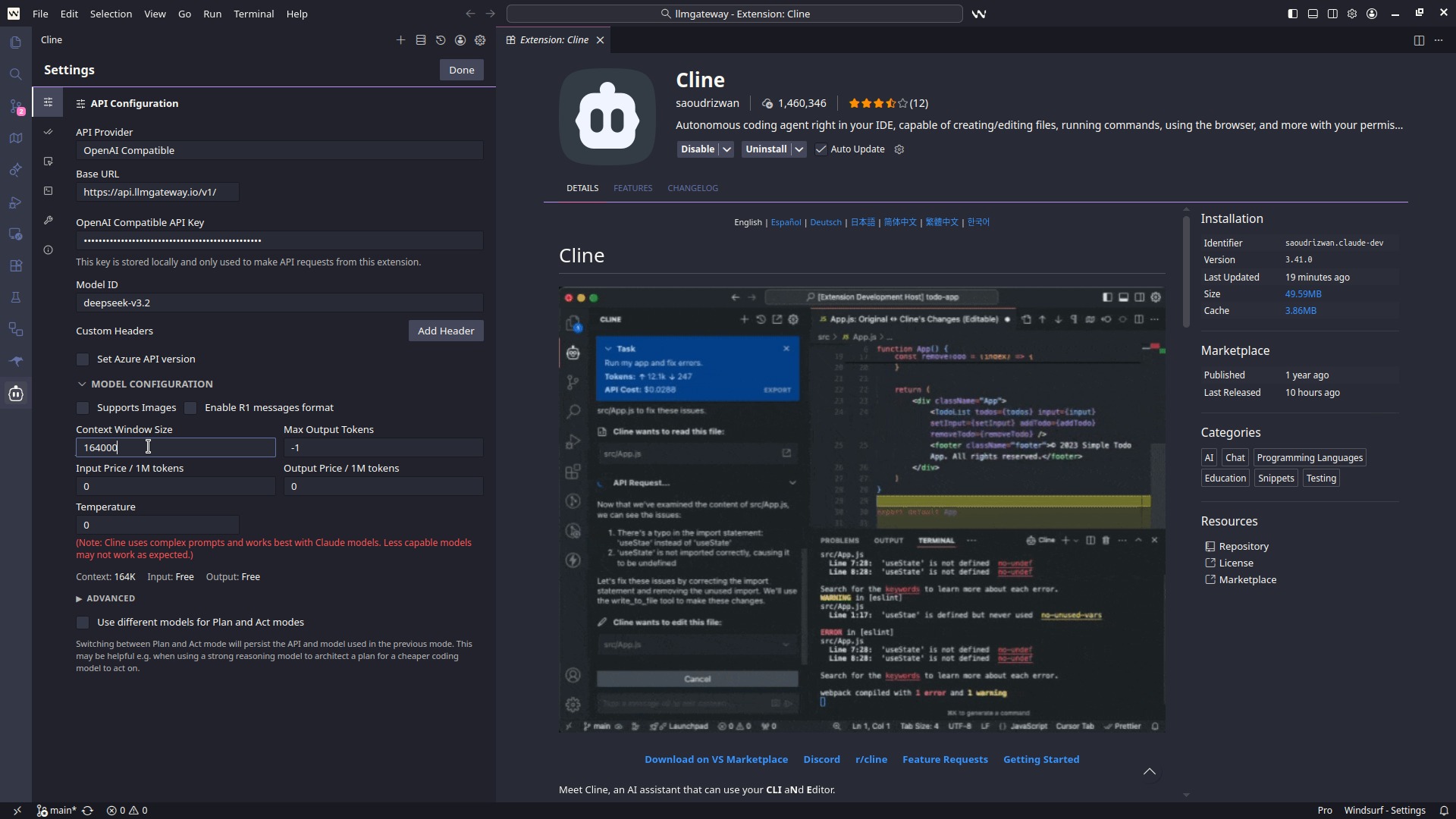
2. Configure the API provider
Open the Cline panel, click the settings gear, and set:
- API Provider:
OpenAI Compatible - Base URL:
https://api.llmgateway.io/v1 - API Key: your key from the LLM Gateway dashboard
- Model ID: any model from the catalog, e.g.
claude-sonnet-4-6,gpt-5.2, ordeepseek-v3.2
3. Test it
Ask Cline to do something concrete — "Create a hello world function in Python". It should respond and offer to create the file.
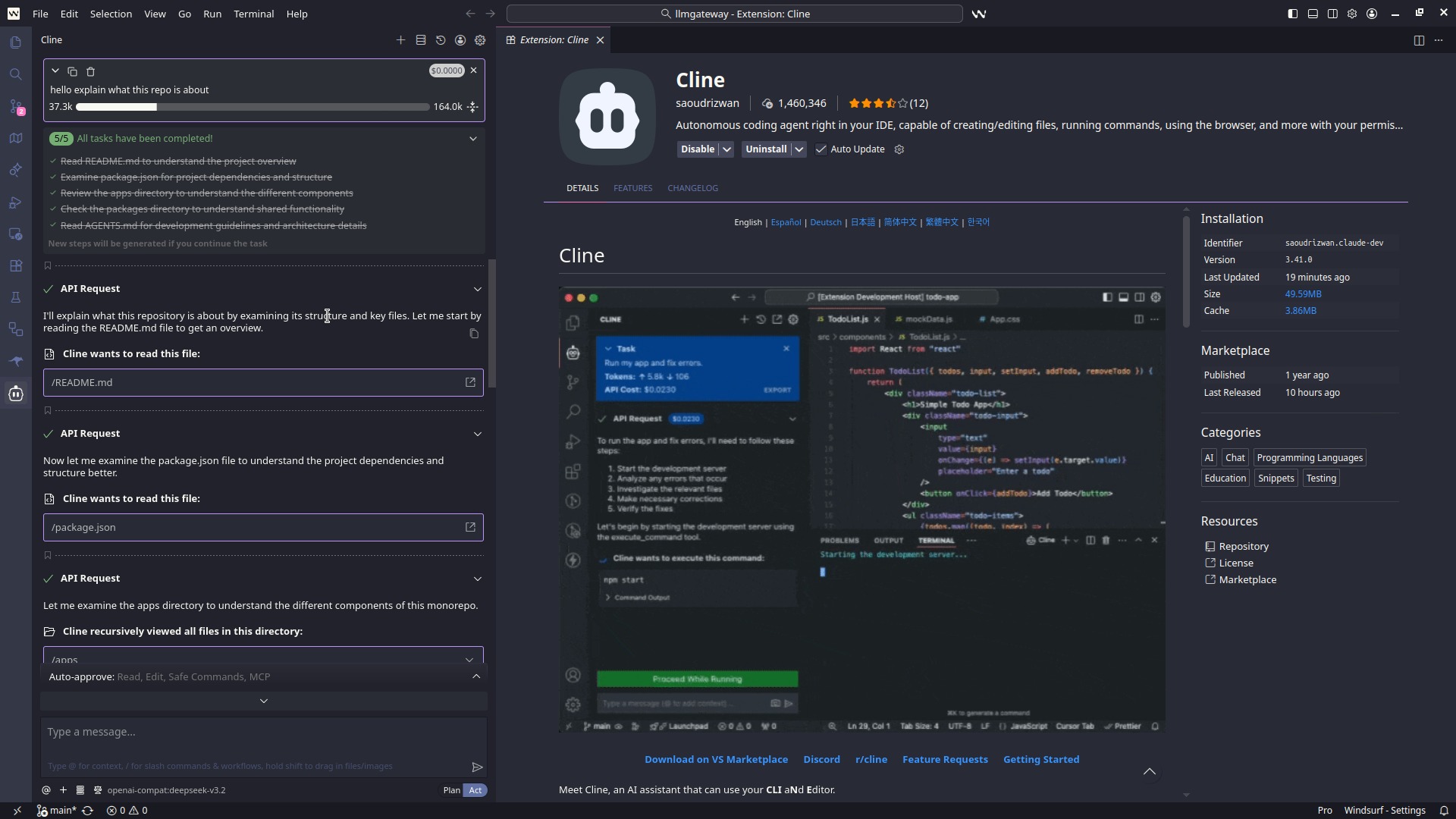
All requests — planning, edits, terminal commands — now route through LLM Gateway.
Picking the right model
Cline works the codebase hard: long contexts, lots of tool calls. A few tips:
- Frontier coding models (
claude-sonnet-4-6,gpt-5.2,gemini-3-pro-preview) give the best autonomous results - Discounted models: check the discounted list — same models, lower price through partner providers
- Provider pinning: prefix with a provider (e.g.
openai/gpt-5.2) to pin routing; otherwise LLM Gateway picks the best available provider with automatic failover - Free models: try free models for low-stakes tasks
Switching models mid-project
Because Cline just sees one OpenAI-compatible endpoint, swapping models is a one-line change in its settings — no new accounts or API keys. Use a fast, cheap model for boilerplate and switch to a frontier model for the hard parts, keeping one bill and one usage dashboard the whole time.
Troubleshooting
Authentication errors — Double-check the key and that the base URL is exactly https://api.llmgateway.io/v1.
Model not found — Copy the model ID exactly from the models page.
Context overflow on big tasks — Switch to a model with a larger context window; the catalog lists context sizes per model.
Need help? Join our Discord.
Why route Cline through LLM Gateway
- Full agent support — unlike Cursor, every Cline feature works through the gateway
- Any model, one key — OpenAI, Anthropic, Google, Meta, DeepSeek, and open-source models
- Cost control — per-request cost tracking and spend limits in the dashboard
- Caching and failover — repeated requests hit cache; failing providers fall over automatically
Get started for free — no credit card required.